Piano roll
The piano roll shows notes as bars on pitch rows. Pitch goes up. Time goes right. The keys at the left show the pitch of each row. A key lights while its note plays.
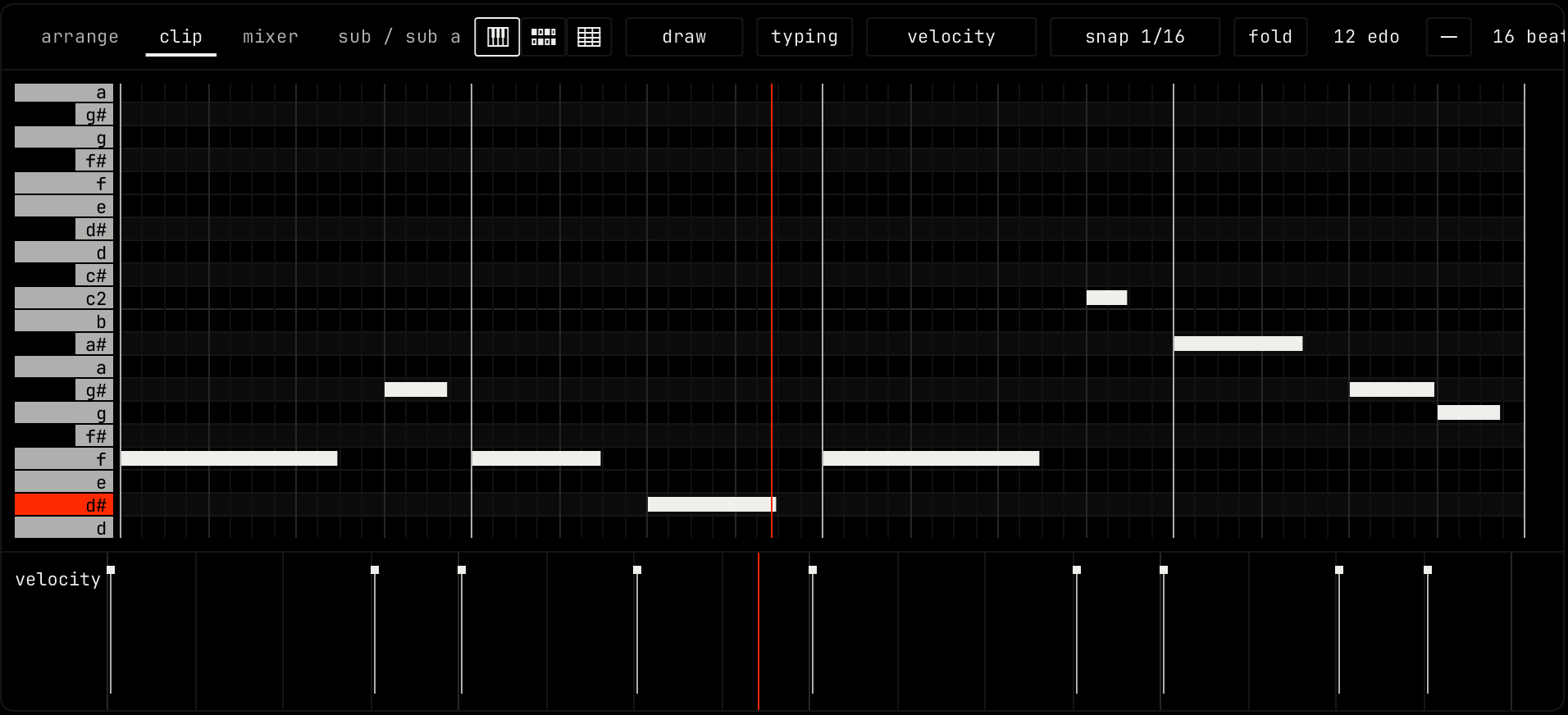
Mouse
These actions work with the draw tool, the default.
| Action | Result |
|---|---|
| Click an empty spot | Draws a note with the length of the last note you used. Drag right before you let go to set its length. |
| Drag a note | Moves it. It moves in whole grid steps, so a note off the grid keeps its offset. |
| Drag the end of a note | Changes its length. |
| shift drag a note | Moves a copy. |
| alt drag | Drags off the grid. |
| cmd click a note | Adds it to the selection, or takes it out. |
| cmd drag | Selects the notes in a box. Add shift to add to the selection. |
| Right-click, or right drag | Deletes the notes you touch. |
| cmd right drag | Zooms to the area. A right-click with the zoom tool zooms out. |
| Double-click a note | Opens its note properties. |
| Drag in the ruler | Makes a time selection, for insert time and delete time. |
| cmd scroll | Zooms in time at the mouse. |
| cmd alt scroll | Zooms the rows. |
| shift scroll | Moves left and right when you have zoomed in. |
A move or a resize starts only after the mouse moves 4 pixels, so a small shake on a click does not move a note.
Tools
Click the tool button in the header for the tool menu. While typing is off, the letter keys pick the tools.
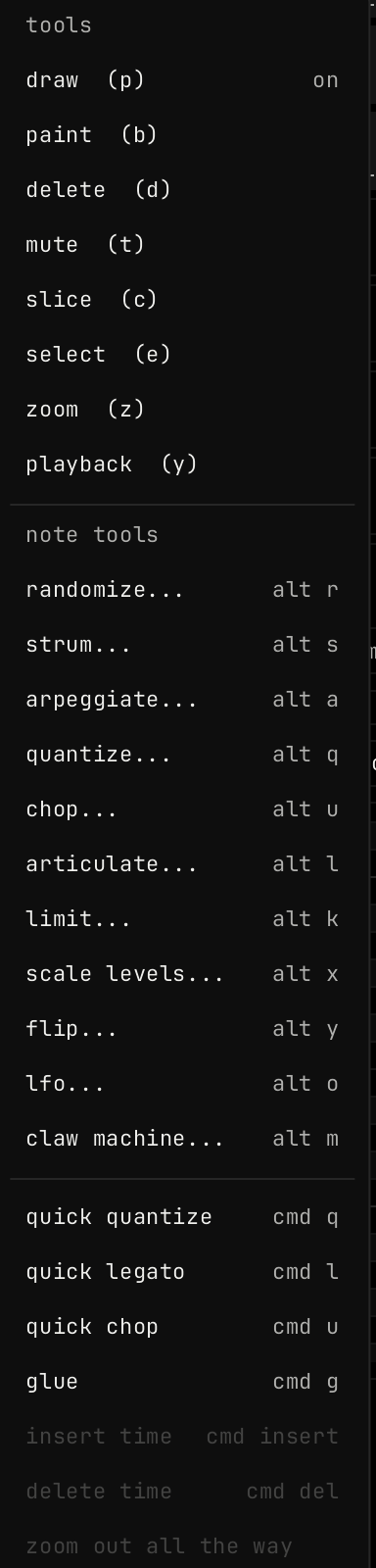
| Tool | Key | A click or drag |
|---|---|---|
| draw | p | Draws, moves and resizes notes. |
| paint | b | Drag to paint a run of notes. |
| delete | d | Deletes the notes you touch. |
| mute | t | Mutes or unmutes a note. A drag sets every note you touch the same way. |
| slice | c | Drag a line across notes to cut them. |
| select | e | Drag a box to select notes. |
| zoom | z | Drag a box to zoom to it. |
| playback | y | Drag to hear the clip from that point. |
The lower part of the menu has the note tools and the quick actions. zoom out all the way shows the whole clip.
Note tools
A note tool changes the selected notes, or all notes when none are selected. Each one opens a window with its settings. Click accept to apply, cancel to close, or reset for the default settings.
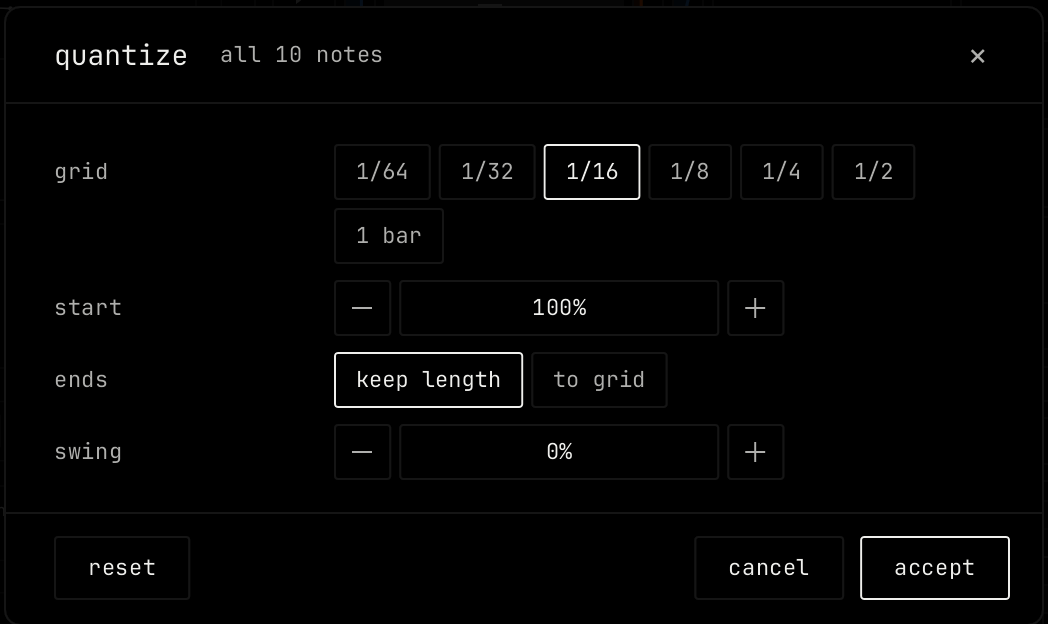
| Tool | Key | Settings |
|---|---|---|
| randomize | alt r | seed; pitch: move each note up or down by up to this many steps; time: move each note by up to this part of the grid; velocity; length; new notes: fill this part of the empty grid steps with notes from the pitches in use. |
| strum | alt s | time: spread of a chord, in parts of a beat; tension; direction: up, down, alternate; velocity tilt; ends: keep (notes end where they did) or move (notes keep their length). |
| arpeggiate | alt a | pattern: up, down, up down, random; step; gate; range in octaves, 1 to 4. |
| quantize | alt q | grid; start: how far notes move to the grid; ends: keep length or to grid; swing. |
| chop | alt u | step; gate; skip every; velocity ramp. |
| articulate | alt l | mode: scale or set; scale, 5% to 400%; set to; overlap: allow or cut at next note. |
| limit | alt k | lowest and highest pitch; outside: fold octaves, clamp or delete; velocity min and velocity max. |
| scale levels | alt x | level: velocity or chance; mode: set or scale; from and to, 0% to 200%; random. |
| flip | alt y | flip: time, pitch or both. |
| lfo | alt o | target: velocity, pitch or chance; shape: sine, triangle, square, saw, random; rate per bar, 0.25 to 16; amount (for pitch, 100% is 12 steps); center; phase. |
| claw machine | alt m | Keeps some notes and removes others in a repeating count: keep, remove, offset, count by chords or notes. |
The quick actions run with no window: quick quantize (cmd q), quick legato (cmd l), quick chop (cmd u) and glue (cmd g). insert time and delete time work on the time selection.
Note properties
Double-click a note to open its properties. With more notes selected, the window changes all of them.
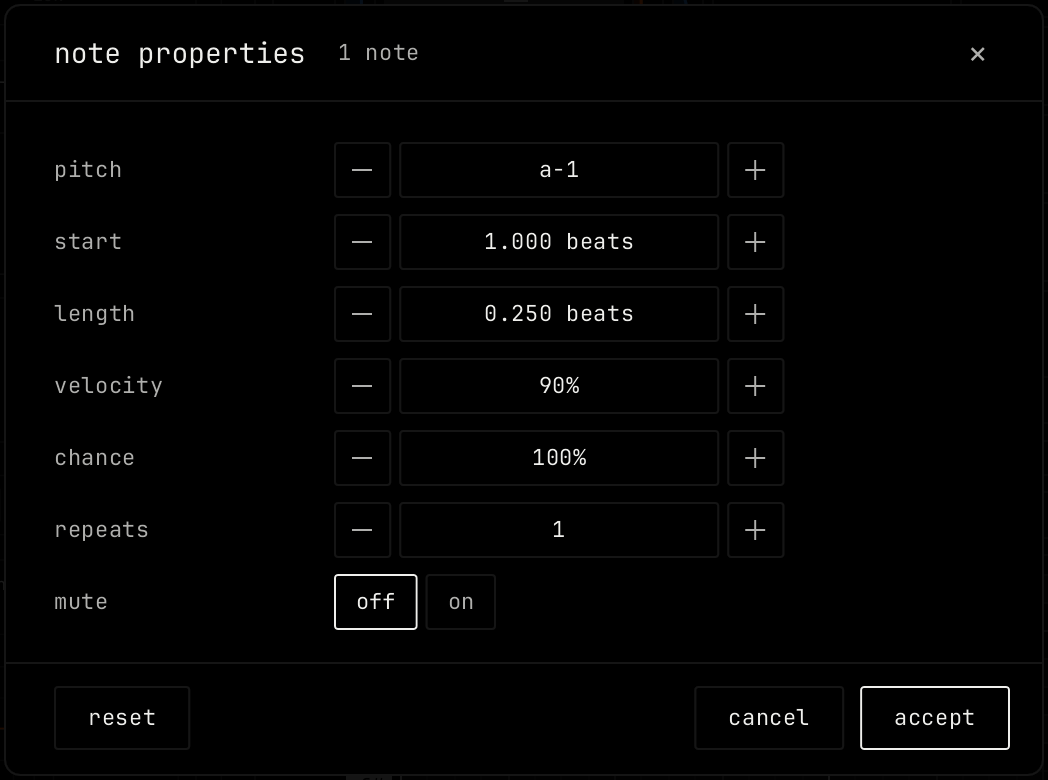
| Property | Range |
|---|---|
| pitch | The note name. |
| start / length | In beats. |
| velocity | 1% to 100%. |
| chance | 5% to 100%. How often the note plays. |
| repeats | 1 to 8. The note plays this many times in its length. |
| mute | off or on. A muted note does not play. |
The lane
The lane under the notes edits one value of each note. Pick it with the lane button in the header. Drag a stem up or down to change the value.
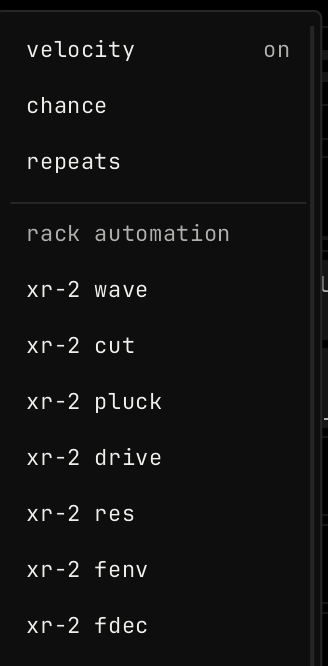
velocity, chance and repeats edit the notes. Under rack automation, pick a value of a module in the rack to draw its automation for this clip.