xm-1 midi out
Overview
xm-1 makes no sound itself. It sends the notes of its channel to a MIDI port, to play a hardware synth or another app.
Header bar
| Control | What it does |
|---|---|
| patch, random, back | The shared module buttons. Random picks a new program and new values for every controller. See The rack. |
Port (no port) | The MIDI output the notes go to. Click to pick one. The hover text says when the port is not connected. |
| ch | The MIDI channel, 1 to 16. Drag or scroll. |
| prg | The program the port is asked to load, sent when the project loads and when it changes. off sends none. Drag or scroll. |
| bend | The pitch bend range of the port: 1, 2, 3, 4, 7, 12, 24 or 48 semitones. It is used for notes between the keys of a microtonal tuning. |
| panic | Sends note off for every held note, and all notes off on this channel. |
Display
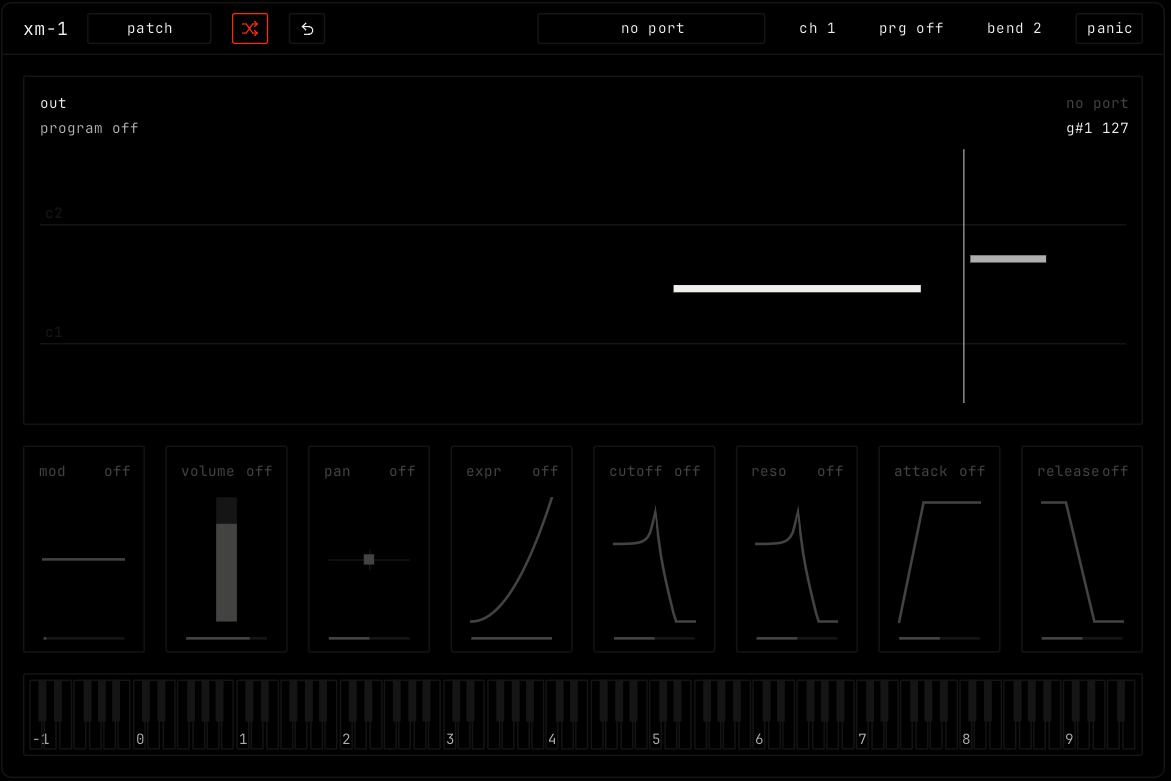
The top view shows the notes going out, with the port and the last note at the top right. The keys at the bottom show the notes going out: click a key to send it.
Controllers
Each tile sends one MIDI controller (CC). Drag a tile to send it. Double-click for the default. A tile shows off until you move it.
| Tile | CC | Default |
|---|---|---|
| mod | 1 | 0 |
| volume | 7 | 100 |
| pan | 10 | 64 |
| expr | 11 | 127 |
| cutoff | 74 | 64 |
| reso | 71 | 64 |
| attack | 73 | 64 |
| release | 72 | 64 |