MIDI and key mapping
A map links a MIDI control or a computer key to a control in launcher. Then the knob, fader, pad or key moves that control.
Map mode
Turn on MIDI map mode with cmd m, or click the MIDI status in the transport bar. Turn on key map mode with cmd k. The window dims, and every control you can map gets a blue box.
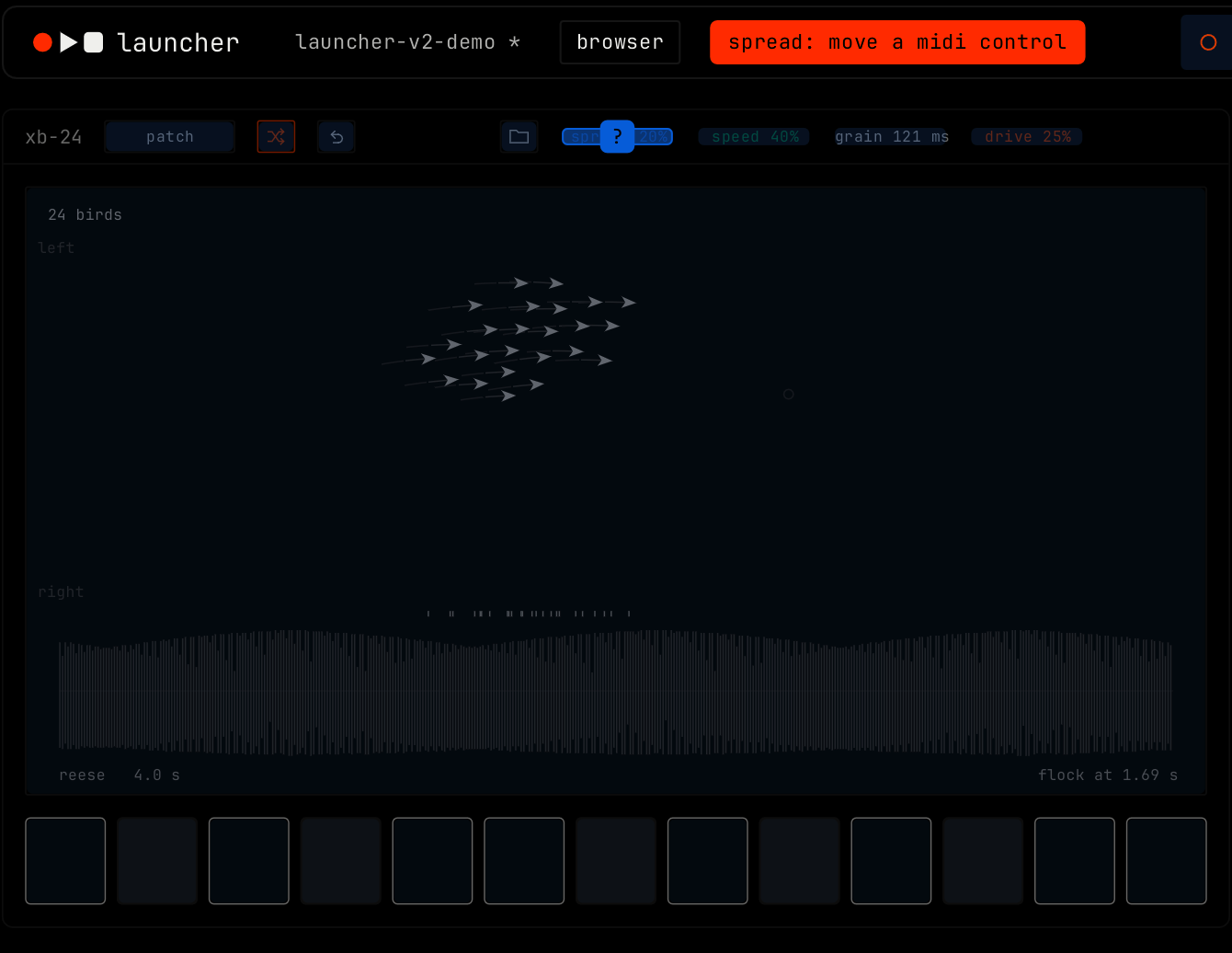
- Click a control.
- Move a MIDI control, or press a key. The map is made.
- Click the next control, or press cmd m or cmd k again to leave map mode.
The pill in the transport bar shows the control you picked and the next step, for example spread: move a midi control.
From the right-click menu
Right-click a control and pick map … to midi or map … to key. Map mode turns on for that one control, and turns off after the map is made.
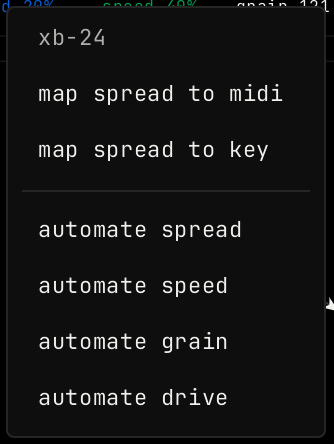
When a control has a map, its menu has more items:
| Item | What it does |
|---|---|
| invert | The MIDI control moves the value the other way. |
| pickup, no value jump | The value does not move until the MIDI control reaches it. |
| key holds … while down | The key sets the top of the range while you hold it, and the bottom when you let go. Without it, each press switches between the top and the bottom. |
| set range minimum to this value | The bottom of the MIDI control, or the key up state, gives the current value. |
| set range maximum to this value | The top of the MIDI control, or the key down state, gives the current value. |
| reset range | Uses the full range again. |
| remove midi map / remove key map | Removes the map. |
All maps
Right-click the MIDI status in the transport bar to see every map. The menu turns map modes on and off, and has a remove item for each map. While map mode is on, the pill in the transport bar opens the same menu.
Control surfaces
launcher works with these controllers through their own protocol: launchpad, mackie control and hui. One is active at a time. Pick it in Settings, under midi. Settings shows if the surface is found and talking.
MIDI clock
In Settings, under midi, clock in picks a MIDI input whose clock sets the tempo. The tempo in the transport bar then shows ext. clock out picks the MIDI outputs that get clock, song position, start, continue and stop. clock offset moves the clock earlier or later.