Plugins
launcher loads third-party instruments and effects in the CLAP and VST3 formats, and Audio Units on macOS. A loaded plugin is a module in the rack, like the built-in modules.
Find plugins
launcher scans the plugin folders of your system, and the folders you add in Settings, plugins. Each plugin is opened in a separate process during the scan, so a broken plugin cannot stop launcher. After the scan, the plugins show in the plugins section of the browser, with their vendor and format.
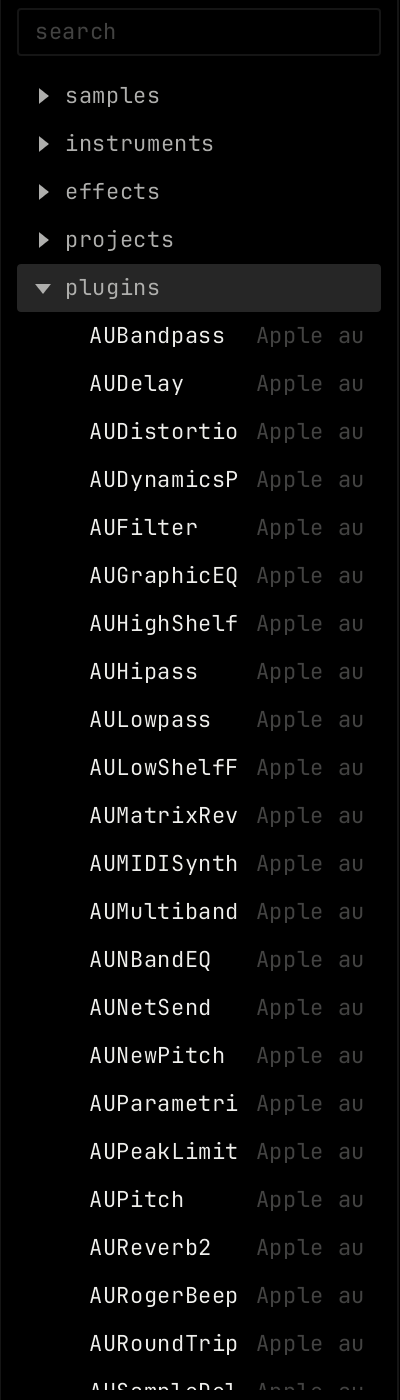
Load a plugin
- Double-click a plugin in the browser to load it on the selected channel, or drag it onto a channel.
- A new MIDI channel shows instrument plugins under plugins, below the instrument cards. See The rack.
The plugin module

The module shows the plugin name and vendor, and a tile for each parameter. The tiles work like the tiles of the built-in modules. See The rack.
| Control | What it does |
|---|---|
| patch, random, back | The shared module buttons. |
| search | Shows only the parameters whose name has this text. |
| editor | Opens the plugin's own window. It is dim when the plugin has no window of its own. |
| restart | Starts the plugin again with its last saved state. It shows after a plugin crashed. |
| Bypass (power icon) | Turns the plugin off. You hear the sound without the effect. |
When a plugin crashes
Each plugin runs in its own process. If a plugin crashes or stops answering, launcher keeps running and shows a message. An instrument goes silent. The sound passes through an effect dry. Click restart on the module to start it again.