The window
launcher works in one window. Each part has its own page.
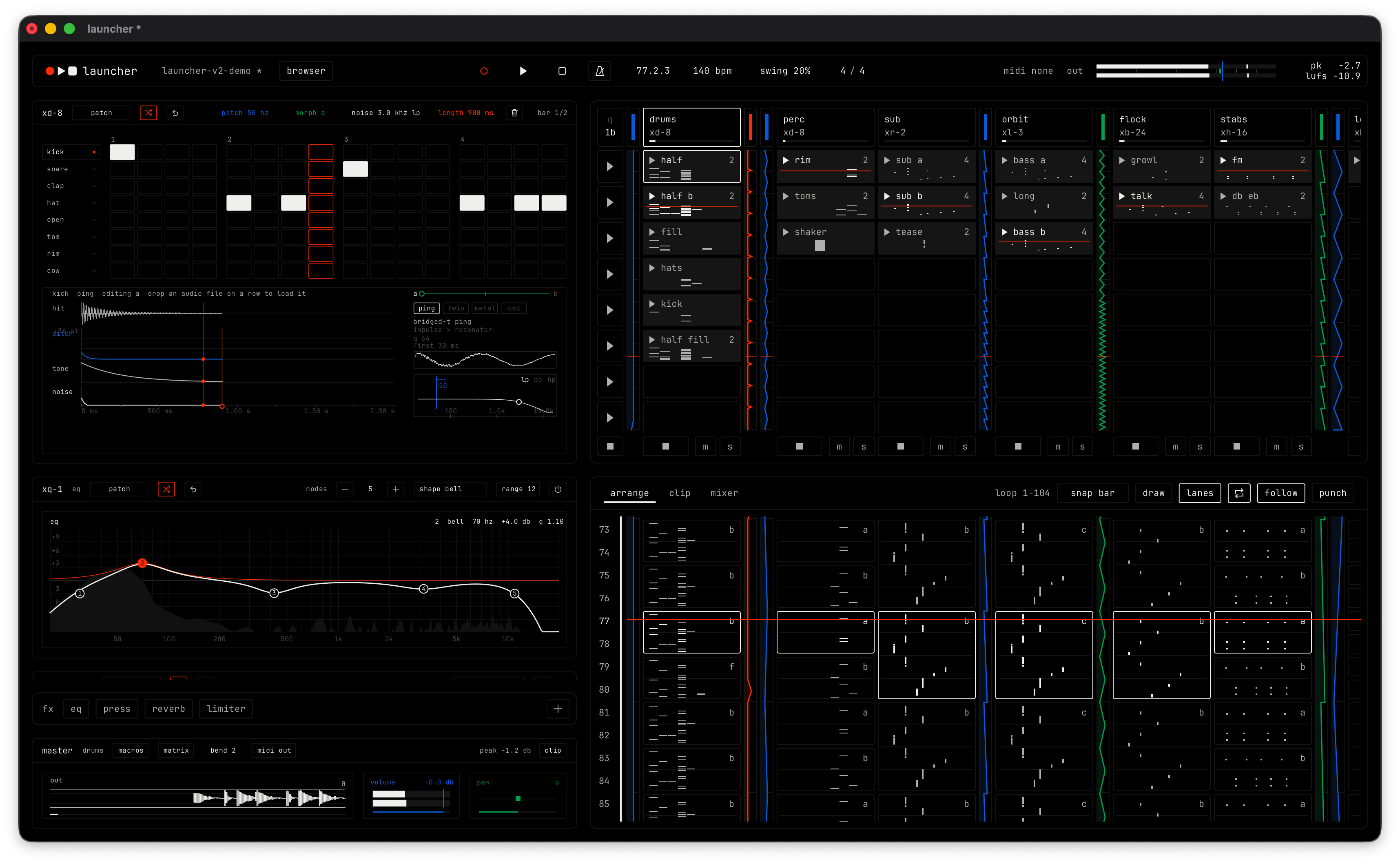
Parts of the window
| Part | Where it is |
|---|---|
| Transport bar | The strip across the top. |
| Browser | At the far left, when it is open. Open or close it with f8. |
| Rack | The left column. It shows the modules of the selected channel. The effects bar and the master module are at its bottom. |
| Clip launcher | The top right pane. Channels are columns, clips are cells and scenes are rows. |
| Lower pane | The bottom right pane. Its tabs switch between the arrangement, the clip editor and the mixer. |
Lower pane tabs
| Tab | Opens | Key |
|---|---|---|
| arrange | Arrangement | f5 |
| clip | Clip editor | f7 |
| mixer | Mixer. It uses the full height, so the clip launcher is hidden while it is open. | f9 |
The text at the right of the tabs shows the loop range, for example loop 1-104. In the clip editor it shows the channel and clip name.
App menu
Click the logo at the left of the transport bar. The menu has three parts.
file
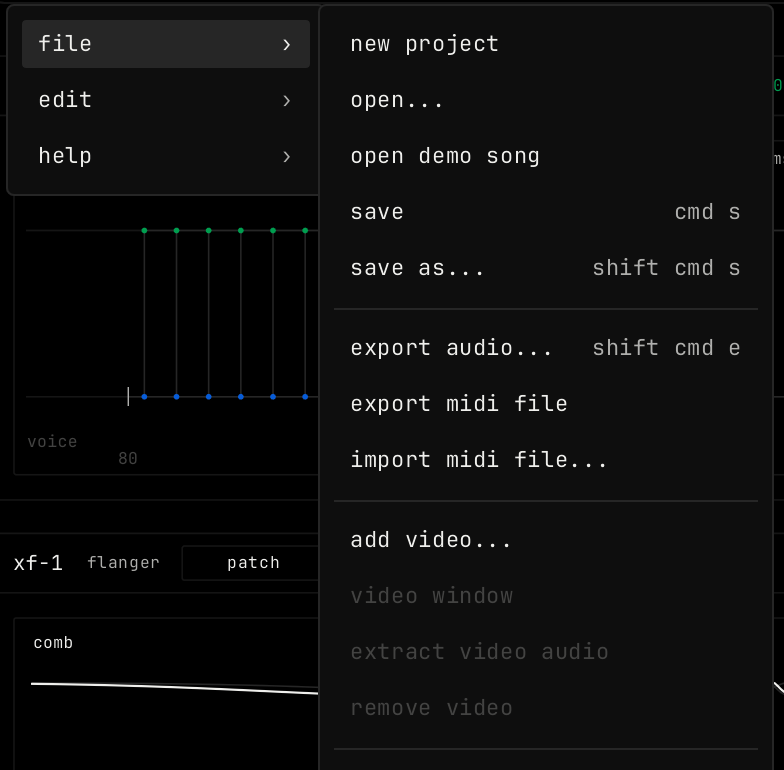
| Item | What it does |
|---|---|
| new project | Starts a new, empty project. |
| open... | Opens a .launcher project file. |
| open demo song | Opens the demo song in a new window. |
| save / save as... | Saves the project. cmd s / shift cmd s. |
| export audio... | Renders the song to an audio file. shift cmd e. |
| export midi file | Writes the notes of the song to a MIDI file. |
| import midi file... | Reads a MIDI file. A file with one part becomes a new clip on the selected channel. A file with more parts adds one channel for each part, up to 16. |
| add video... / replace video... | Puts a video in the project, to score to picture. |
| video window | Shows or hides the video. |
| extract video audio | Adds an audio channel named “video audio” with the sound of the video, placed in time with the picture. |
| remove video | Takes the video out of the project. |
| rename project | Changes the project name. |
| open recent | The projects you opened last. |
| exit | Closes launcher. |
edit
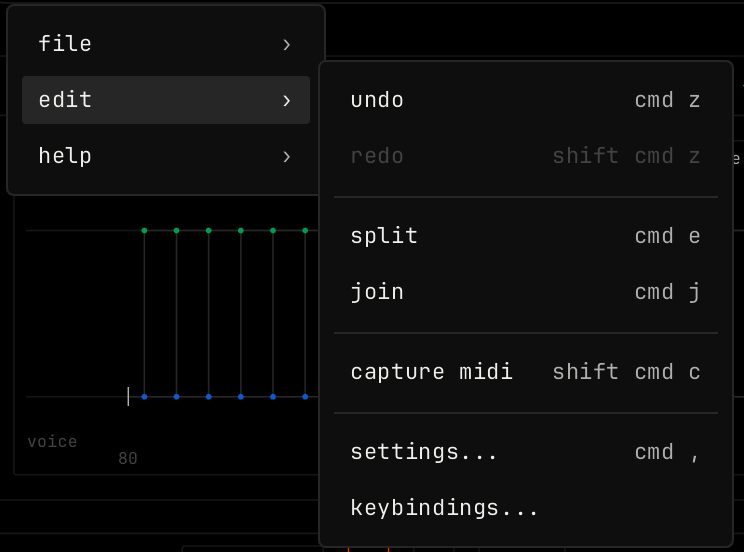
| Item | What it does |
|---|---|
| undo / redo | cmd z / shift cmd z. |
| split / join | Splits at the mouse or the playhead, or joins blocks or notes into one. Works in the arrangement and the clip editor. |
| capture midi | Makes a new clip from the notes you just played. shift cmd c. |
| settings... / keybindings... | Opens Settings, or the key list in Settings. |
help
| Item | What it does |
|---|---|
| keyboard shortcuts | Shows all keys. cmd /. |
| tutorial | Starts the tour. |
| about launcher | Version, license and credits. |