xg-1 gives a sound a thicker, heavier body. It adds grit above a split frequency, keeps the sub under it clean, and adds harmonics so small speakers can hear the bass.
Phone check: hear the whole track as a phone or laptop speaker plays it.
shift
Opens the shift layer. See below.
Bypass (power icon)
Hear the sound without the effect.
Display
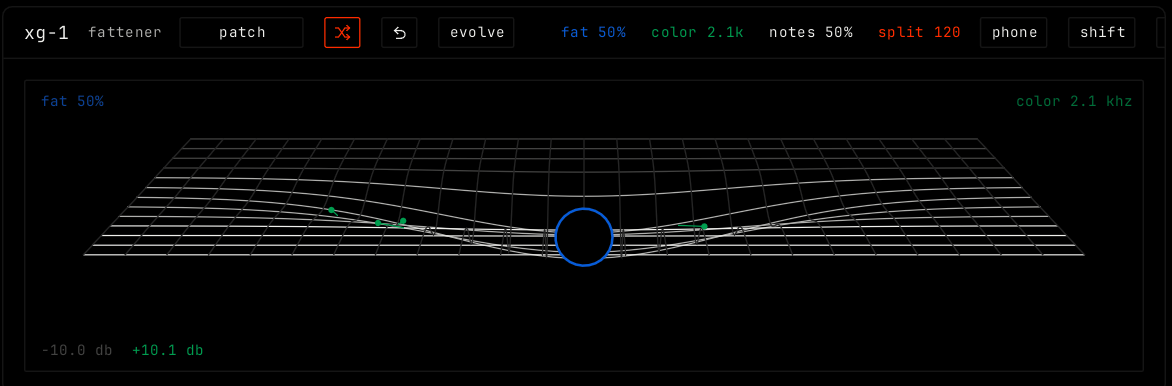
The display shows the sound as a surface. Drag up or down for fat, and left or right for color. The values show at the top. At the bottom, the display shows how many dB a phone speaker loses on this sound, and how much fat brings back.
Parameters
Parameter
Range / values
What it does
fat
0% to 100%. Default 50%.
How much grit above the split. At 0 the sound is dry.
color
700 Hz to 11 kHz. Default 2.1 kHz.
The tone of the grit only. The dry top stays bright.
notes
0% to 100%. Default 50%.
Harmonics at 2, 3 and 4 times the bass note, so a phone hears the sub.
split
60 to 240 Hz. Default 120 Hz.
Under this frequency the sub passes clean.
Shift layer
Cell
Rows
notes
amount: the same as the notes parameter.
split
clean under: the same as the split parameter.
kick
channel: click to pick a drum channel. duck: how much the sub ducks when the kick hits. back in: how fast it comes back.
phone
check: on or off, the same as the phone button.
level
Shows the input and output level. They stand at the same height when the level is matched.