Tracker
The tracker shows notes as a list. Time runs down, one row per step. The row length follows the snap setting, from a 1/64 note to one beat. Type notes and values with the keyboard.
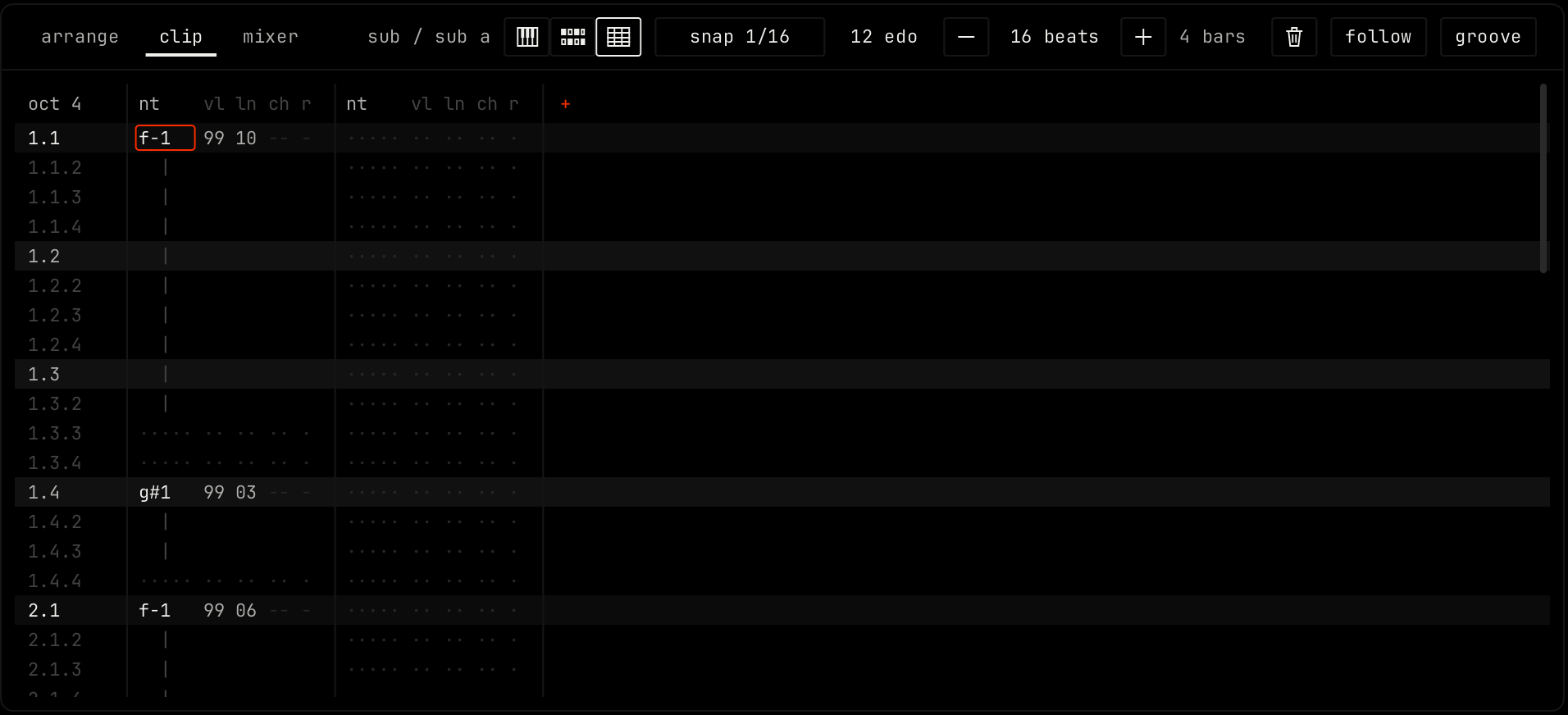
Columns
The left column shows the position of each row as bar.beat.step, and the keyboard octave at the top, for example oct 4. Each note column holds one note at a time. Notes that play at the same time go into more columns.
| Field | Values |
|---|---|
| nt | The note name and octave, for example f-1. A note stays in its column, so an edit somewhere else does not move it. |
| vl | Velocity, 00 to 99. |
| ln | Length in rows. |
| ch | Chance, 00 to 99. -- means the note always plays. |
| r | Repeats. - means one hit. |
Effect columns
An effect column edits the automation of one value in the rack of this channel, so the tracker and the rack always agree. Click + at the right of the column heads and pick a value under add an effect column. Each row holds a value from 00 to 99. Click the head of an effect column for remove this column.
Mouse
Click a field to move the cursor there. shift click to select the rows from the cursor to the click.
Keys
The bottom two letter rows play notes. The bottom row plays the octave. The row above it plays the next octave. Each key is one step of the tuning:
  s d   g h j   l ;          2 3   5 6 7   9 0   =
z x c v b n m , . / q w e r t y u i o p [ ]| Key | Action |
|---|---|
| up down left right | Move the cursor |
| tab / shift tab | Next / previous column |
| 0 to 9 | Type a value in the vl, ln, ch, r and effect fields |
| enter | Enter the typed value |
| . | Clear a value |
| ` or capslock | Note off |
| home / end | First / last row |
| f1 to f8 | Octave 1 to 8 |
| numpad / and numpad * | Octave down / up |
| numpad - and numpad +, or shift f9 and shift f10 | Move the keys one row down / up. Use this for tunings with more than 37 steps. |