xe-4 bowstring
Overview
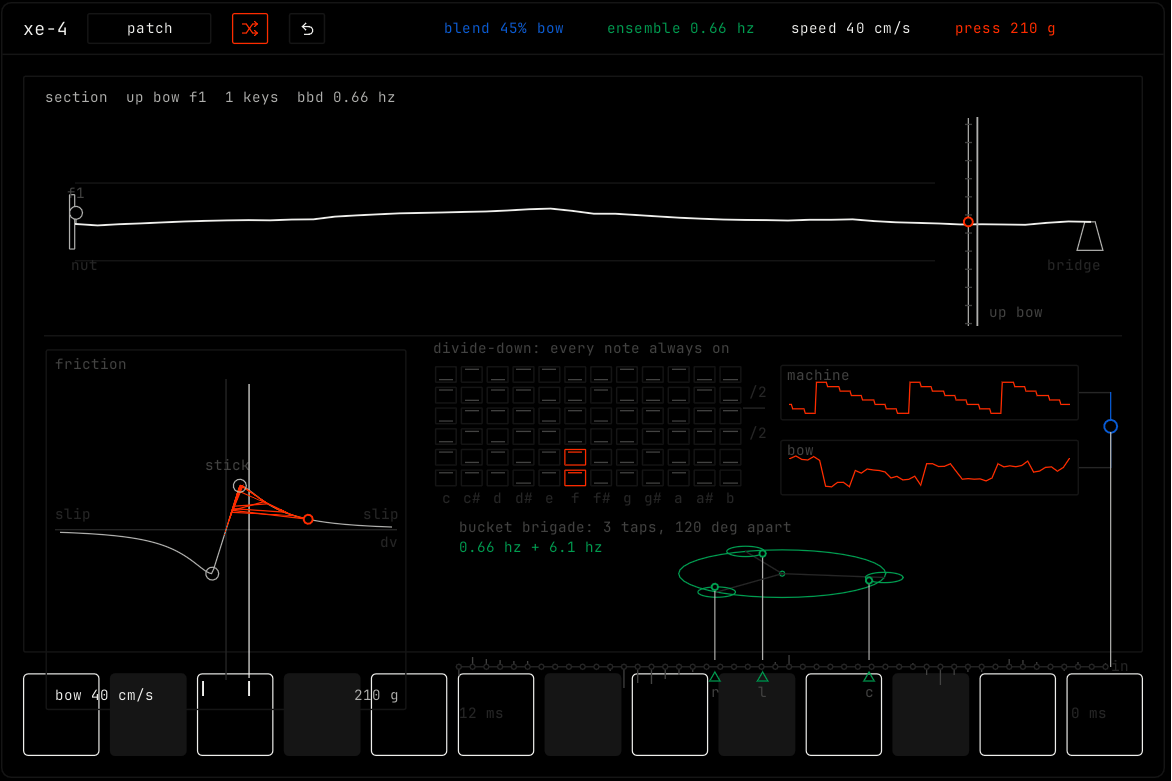
xe-4 blends a bowed string with a vintage string machine. You can see the bow on the string, the grip of the bow, and the machine that plays every note at once.
Header bar
| Control | What it does |
|---|---|
| patch, random, back | The shared module buttons. Random makes a new player: machine, section or solo bow, and every setting changes. See The rack. |
| blend, ensemble, speed, press | The four parameters as values. Drag them. |
Display
- The top view shows the string from the nut to the bridge, with the bow on it. Drag the bow sideways to move where it touches the string. The top line shows the section, the bow direction and the ensemble speed.
- The friction view shows how the bow sticks and slips on the string. Drag it sideways for speed, and up or down for pressure.
- The machine view shows the string machine, where every note is always on. The two traces show the machine and the bow.
- The wheel at the bottom right shows the ensemble: three copies that swing against each other.
The row of 13 keys at the bottom is one octave. The keys light while notes play. Press a key to play its note.
Parameters
| Parameter | Range / values | What it does |
|---|---|---|
| blend | machine … solo bow. Default 45% bow. | From the string machine to the solo bowed string. |
| ensemble | off, or a speed in Hz. | How far the three ensemble copies swing. The crank wheel grows. |
| speed | 8 to 80 cm/s. Default 40 cm/s. | How fast the bow travels. Louder and longer strokes. |
| press | 20 to 400 g. Default 210 g. | How hard the bow presses. The friction curve grows. Too much and it scratches. |