Keyboard shortcuts
These are the default keys. On Windows and Linux, cmd is ctrl. Open the full list in the app with cmd / or shift /, or keyboard shortcuts in the help menu. Change keys in Settings, keybindings. Keys marked “fixed” cannot be changed.
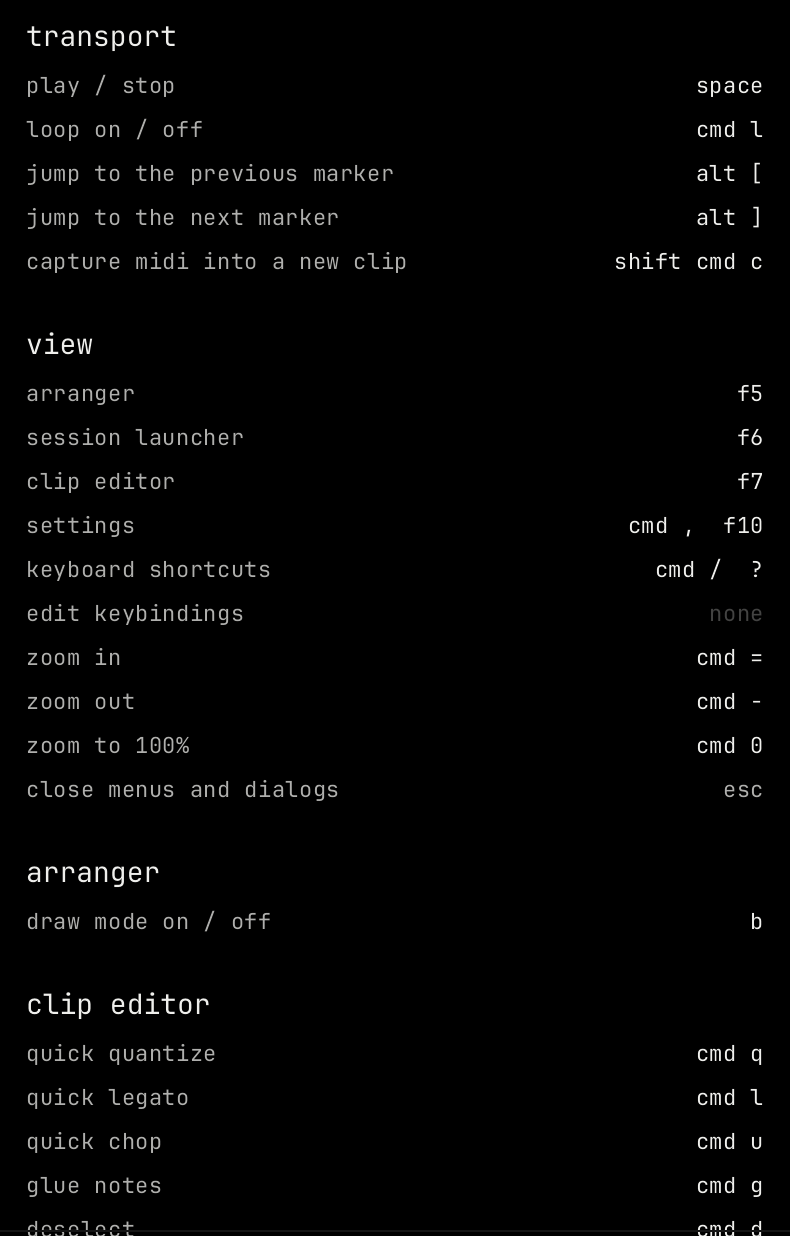
File
| Key | Action |
|---|---|
| cmd s | Save project |
| shift cmd s | Save project as |
| shift cmd e | Export audio |
Transport
| Key | Action |
|---|---|
| space | Play / stop |
| cmd l | Loop on / off. In the piano roll and steps view, this key is quick legato. |
| alt [ / alt ] | Jump to the previous / next marker |
| shift cmd c | Capture MIDI into a new clip |
Edit
| Key | Action |
|---|---|
| cmd z / shift cmd z | Undo / redo |
| cmd c / cmd x / cmd v | Copy / cut / paste notes, blocks or clips |
| cmd a | Select all notes |
| cmd b | Duplicate clip or block |
| del | Delete clip or block |
| cmd e | Split at the mouse or the playhead |
| cmd j | Join blocks or notes into one |
| cmd m | MIDI map mode |
| cmd k | Key map mode |
| alt drag | Drag off the grid (fixed) |
| shift drag | Copy while dragging (fixed) |
View
| Key | Action |
|---|---|
| f5 | Arrangement |
| f6 | Leave the mixer and go to the selected channel |
| f7 | Clip editor |
| f8 or alt cmd b | Show or hide the browser |
| f9 or alt cmd m | Show or hide the mixer |
| cmd , or f10 | Settings |
| cmd / or shift / | Keyboard shortcuts |
| cmd = / cmd - / cmd 0 | Zoom in / zoom out / zoom to 100% |
| esc | Close menus and dialogs (fixed) |
Arrangement and clip launcher
| Key | Action |
|---|---|
| b | Draw mode on / off. In the piano roll, this key picks the paint tool. |
| up down left right | Move through channels and clips (fixed) |
Clip editor
These work in the piano roll and the steps view.
| Key | Action |
|---|---|
| cmd q | Quick quantize |
| cmd l | Quick legato |
| cmd u | Quick chop |
| cmd g | Glue notes |
| cmd d | Deselect |
| cmd insert / cmd del | Insert / delete time |
| alt r, alt s, alt a, alt q, alt u, alt l, alt k, alt x, alt y, alt o, alt m | The note tools: randomize, strum, arpeggiate, quantize, chop, articulate, limit, scale levels, flip, lfo, claw machine |
| up down left right | Move notes (fixed) |
| cmd scroll | Zoom the piano roll in time (fixed) |
| cmd alt scroll | Zoom the piano roll rows (fixed) |
Piano roll tools
While typing is off.
| Key | Tool |
|---|---|
| p | draw |
| b | paint |
| d | delete |
| t | mute |
| c | slice |
| e | select |
| z | zoom |
| y | playback |
Tracker
See Tracker for the note keys.
| Key | Action |
|---|---|
| tab / shift tab | Next / previous column |
| enter | Enter the typed value |
| ` or capslock | Note off |
| home / end | First / last row |
| numpad / and numpad * | Octave down / up |
| f1 to f8 | Octave 1 to 8 |
| numpad - and numpad +, or shift f9 and shift f10 | Keys one row down / up |
| 0 to 9 | Type values (fixed) |
| . | Clear a value (fixed) |
Live play
When no text field or editor has the keys, the computer keyboard plays the selected channel. The keys a w s e d f t g y h u j k o l p ; ' play the steps up from the octave start.
| Key | Action |
|---|---|
| z / x | Octave down / up |
| c / v | Velocity down / up |
| numpad - and numpad +, or shift f9 and shift f10 | Keys one row down / up |
| 1 to 6 | Launch scenes 1 to 6 (fixed) |
Browser
| Key | Action |
|---|---|
| up down | Move in the list (fixed) |
| enter | Load the item (fixed) |